
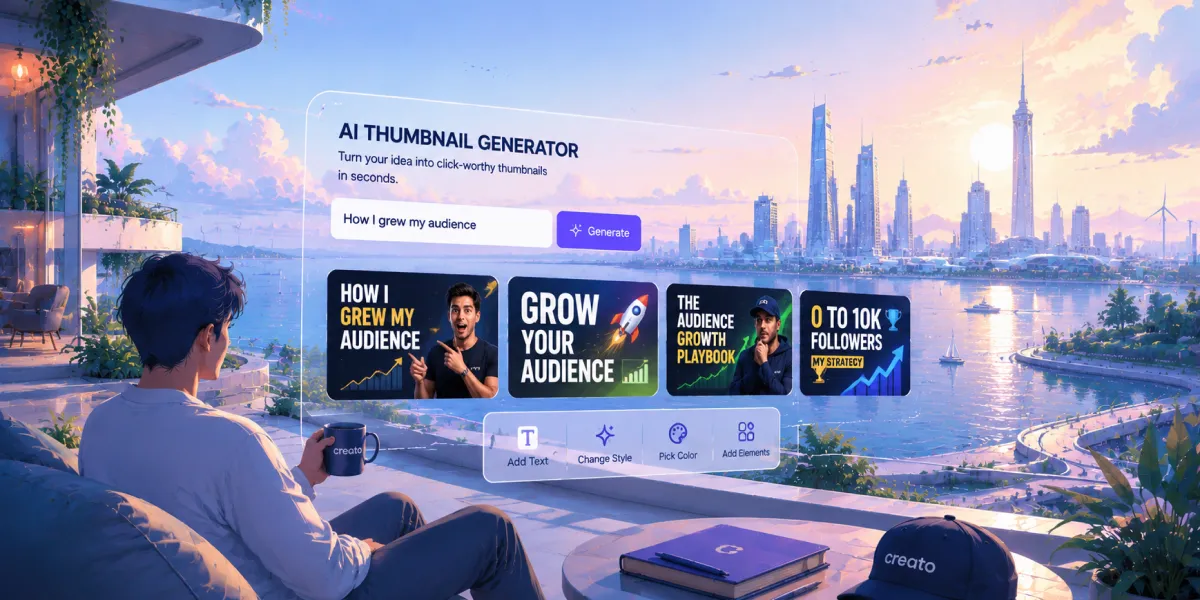
Create A YouTube Thumbnail In 60 Seconds
A working AI YouTube thumbnail generator should take you from a video idea to a click-ready thumbnail in under a minute, no Photoshop, no blank-canvas staring. Here's the exact 60-second path, timestamped.
What You Need Before The Clock Starts
The 60-second version only works if two things are already in place. Without them, you're really doing setup work disguised as generation.
- A Creator Profile: Your niche, audience, and visual style, saved once so the AI doesn't need re-explaining every time.
- A rough idea, not a script: A single sentence is enough. The generator handles composition and text placement.
Set those up once, and every thumbnail after that really does start at 0:00.
How To Create A YouTube Thumbnail In 60 Seconds
- 10:00 – 0:10
Drop in your video topic: Type a one-line description, e.g. "why most founders quit content in month 3." No title copywriting needed yet.
- 20:10 – 0:20
Let your profile shape the angle: The generator applies your saved brand colors, fonts, and visual tone, so the thumbnail already looks like your channel.
- 30:20 – 0:40
Generate the thumbnail: The AI composes the image, adds bold text with high contrast, and sizes it correctly for YouTube at 1280×720.
- 40:40 – 0:55
Skim and adjust: Swap the focal image, tighten the text, or regenerate if the contrast isn't punchy enough. Most thumbnails need zero edits here.
- 50:55 – 1:00
Export and post: Download the PNG at the correct YouTube dimensions and upload it directly. No resizing, no re-exporting.
Why AI Thumbnail Generators Beat Canva Or Photoshop For Speed
Canva and Photoshop are design tools. They're built to give you control over every pixel, which is exactly why they're slow for a job you need to repeat every time you upload a video.
- Start from a blank or generic template
- You pick the image and place the text yourself
- Manual resizing to YouTube's 1280×720
- No memory of your channel's visual style
- Starts from your saved brand profile
- Output shaped around your identity
- Pre-sized for YouTube automatically
- Consistent look across every upload
"The best AI thumbnail generator is not the one with the most templates. It is the one that produces a thumbnail close enough to your channel's look that you can upload it without spending another twenty minutes fixing it."
The 4 Thumbnail Types Available In Creato
Bold face-forward energy that stops the scroll in the feed.
Show the transformation up front, built for high click-through.
Guest and host framing that reads clearly at any thumbnail size.
Step-by-step visual cue that signals a quick, useful watch.
Frequently Asked Questions
What size should a YouTube thumbnail be?+
YouTube thumbnails should be 1280×720 pixels (16:9 aspect ratio), with a minimum width of 640 pixels. Creato exports at the correct size automatically, so you never have to resize or re-export.
Do I need design experience to use an AI thumbnail generator?+
No. Creato composes the image, places bold high-contrast text, and sizes it for YouTube automatically. You only step in if you want to tweak a line or regenerate the focal image.
Can AI thumbnails still reflect my channel's branding?+
Yes. Your Creator Profile stores your channel's colors, fonts, and visual tone. Every generated thumbnail starts from that identity, so the output looks like your channel from the first render.
Related Blogs
View all

Start Creating Visuals That
Drive Results Today
Try Creato today. No templates that look like everyone else. No hours lost to Design. Just content that sounds and looks like you.