

Best AI Tool For Content Creator: Carousels, Social Posts & Thumbnails
If you're creating content every week, you don't need more design tools. You need a faster workflow.
The best AI content creation tools can write your copy, design your visuals, and keep everything on-brand. Whether you're building LinkedIn carousels, Instagram posts, or YouTube thumbnails, the right tool can save hours every week.
In this guide, we'll compare the best AI tools for creators and help you choose the right one for your workflow.
"Content creation isn't a creativity problem. It's a workflow problem."
Why Creators Are Switching To AI Design Tools
Creating great content has never been easier — but creating it consistently is harder than ever.
Today's creators aren't just posting on one platform. They're building a presence across LinkedIn, Instagram, X, Threads, and YouTube. Every post needs a strong hook, polished visuals, and a consistent brand.
The problem isn't coming up with ideas. It's turning those ideas into publish-ready content before your next deadline.
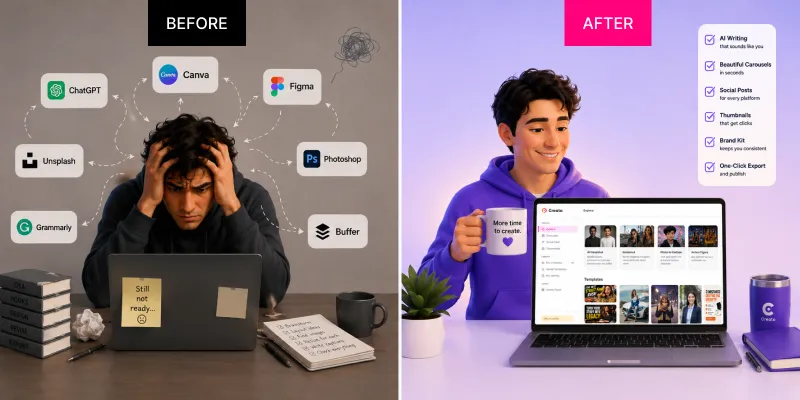
- Write with one tool
- Design with another
- Resize manually
- Rewrite for every platform
- Repeat it all tomorrow
- Start with one idea
- Generate the content
- Design the visuals
- Apply your brand automatically
- Export and publish in minutes
What Makes A Great AI Content Creation Tool?
Not all AI tools are built for creators. The best ones combine writing and design, helping you move from an idea to a finished post without switching between multiple apps.
- 1High-quality AI writing
Attention-grabbing hooks, social captions, carousels, and calls to action that sound like you.
- 2Professional design
Ready-to-use layouts with clean typography and spacing that make every post feel polished.
- 3Brand consistency
Colors, fonts, logos, and visual style saved in one built-in Brand Kit.
- 4Fast content workflow
Go from a simple idea to a ready-to-publish post in minutes, not hours.
- 5Multi-platform support
Create for LinkedIn, Instagram, X, Facebook, and YouTube without manual resizing.
- 6Easy export and sharing
One-click PNG, JPG, and PDF exports at optimized sizes for every platform.
Best AI Tools Compared
Many creators waste time switching between different apps. The problem isn't creating ideas — it's managing the workflow. For deeper dives, see our best AI carousel generator tools in 2026 breakdown.
- AI writes the content
- AI designs the carousel
- AI generates thumbnails
- Brand Kit + Voice Training
- Hundreds of templates
- Ready to review, not rebuild
Ideal if you want one tool that handles your entire content workflow.
Start for free- Built for designers, not fast publishing
- Full control comes with more setup
- Product design focused
- Huge template library
- Flexible drag-and-drop editor
- Easy to share with a team
- Manual work
- Build from a simple outline
- Fast, presentation-style layouts
- Not optimized for social content
- Useful for finishing touches
- Less focused on creator workflows
Feature Comparison
A quick side-by-side of what each tool actually ships.
| Feature | Creato | Canva | Gamma | Adobe Express | Figma |
|---|---|---|---|---|---|
| AI Writing | ✅ | Limited | ✅ | Limited | ❌ |
| Carousel Builder | ✅ | ✅ | Limited | Manual | Manual |
| Thumbnail Generator | ✅ | ✅ | ❌ | ✅ | Manual |
| Social Posts | ✅ | Manual | Limited | Manual | Manual |
| Brand Kit | ✅ | ✅ | ❌ | ✅ | Manual |
| Voice Training | ✅ | ❌ | ❌ | ❌ | ❌ |
| Templates | ✅ | ✅ | Limited | ✅ | ❌ |
| Beginner Friendly | ★★★★★ | ★★★★☆ | ★★★★☆ | ★★★★☆ | ★★☆☆☆ |
Which Tool Should You Choose?
The right tool depends on how you create and how often you publish.
- →You create content every week
- →You want one tool instead of five
- →You need consistent branding
- →You publish across multiple platforms
- →You want to go from rough idea to ready-to-post faster
- →You'd rather spend time creating than managing a tool stack
- →You create across carousels, social posts, and thumbnails
You already use Creative Cloud and need quick social edits from your existing brand assets.
You enjoy exploring templates, refining details, and designing each post hands-on.
Your main output is decks, documents, or visual narratives — not a steady stream of social posts.
Your main output is decks, documents, or visual narratives — not a steady stream of social posts.
How Creators Save Hours Every Week
Instead of generating generic posts, Creato remembers your niche, audience, writing style, brand colors, typography, and templates. Over time, every piece of content feels consistent because your identity is already built into the workflow. You spend less time designing and more time sharing ideas. See how this looks in the personal brand playbook or jump straight to the AI carousel generator, social post generator, or thumbnail generator.
Frequently Asked Questions
What is the best AI carousel generator?+
Creato combines AI writing, carousel design, and brand styling in one creator-focused workflow.
What is the best AI thumbnail generator?+
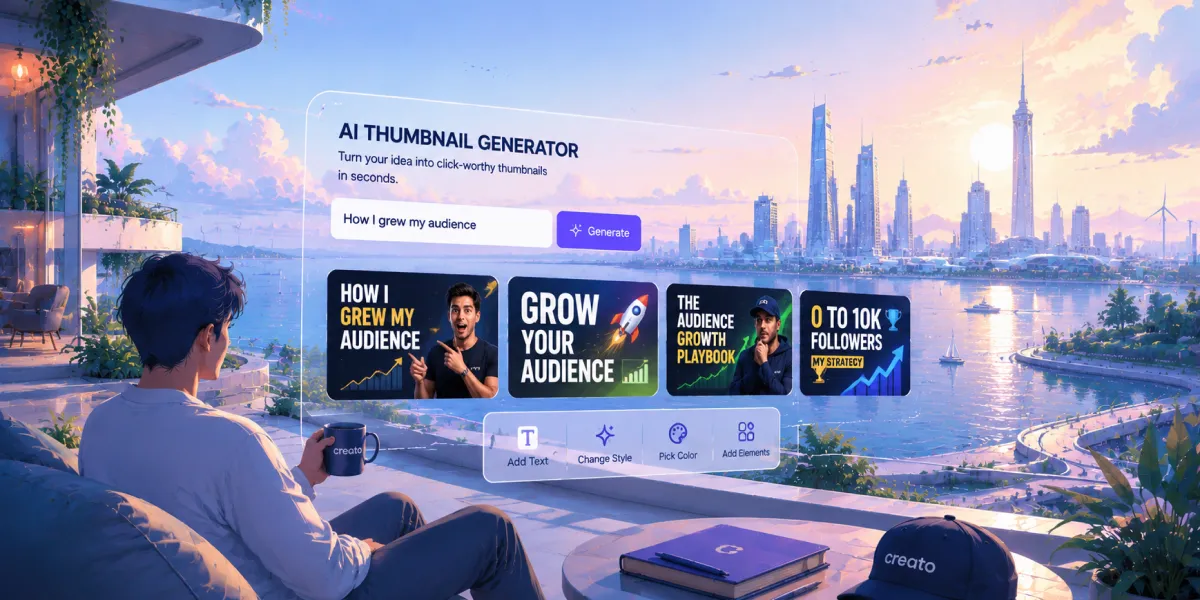
Creato helps turn a single idea into branded, ready-to-use thumbnail concepts.
Can AI create complete social media posts?+
Yes. The right AI workflow can help write, design, resize, and export posts for multiple channels.
Do I still need Canva?+
Canva remains useful for hands-on design; Creato is built for a faster, automated content workflow.
Which AI tool is best for creators?+
Choose the tool that best fits your pace. Creato is designed for creators publishing consistently across platforms.
Conclusion
Creating great content isn't just about having good ideas — it's about turning those ideas into polished posts quickly and consistently.
If you're tired of jumping between AI writers, design tools, and editors, choosing a platform that combines writing, design, branding, and export into one workflow can save hours every week.
Creato helps you generate creator-ready carousels, social posts, and YouTube thumbnails from a single prompt — so you can spend less time designing and more time creating.
Related Blogs
View all

Start Creating Visuals That
Drive Results Today
Try Creato today. No templates that look like everyone else. No hours lost to Design. Just content that sounds and looks like you.