

How To Create An Educational Carousel In Minutes With AI
Educational carousels are one of the most effective content formats for building a personal brand, educating your audience, and increasing engagement on platforms like LinkedIn carousel and Instagram carousel. But creating a high-quality carousel often means juggling multiple tools for writing, designing, editing, and branding — turning a simple idea into a time-consuming process.
AI changes that. A modern AI carousel generator can help you write compelling copy, organize your ideas into a logical slide flow, and generate professional designs in just a few minutes. Instead of starting from a blank canvas, you can focus on sharing your expertise while AI handles the repetitive work.
In this tutorial, you'll compare the best AI tools for creating educational carousels and learn how to use Creato to turn a rough idea into a polished, ready-to-publish carousel. From setting up your brand profile to generating your final design, we'll walk you through every step of the process.
Why Are Creators Using AI For Educational Carousels?
Educational carousels consistently earn more saves, shares, and engagement than image posts. The challenge is creating them quickly while keeping every slide visually consistent.
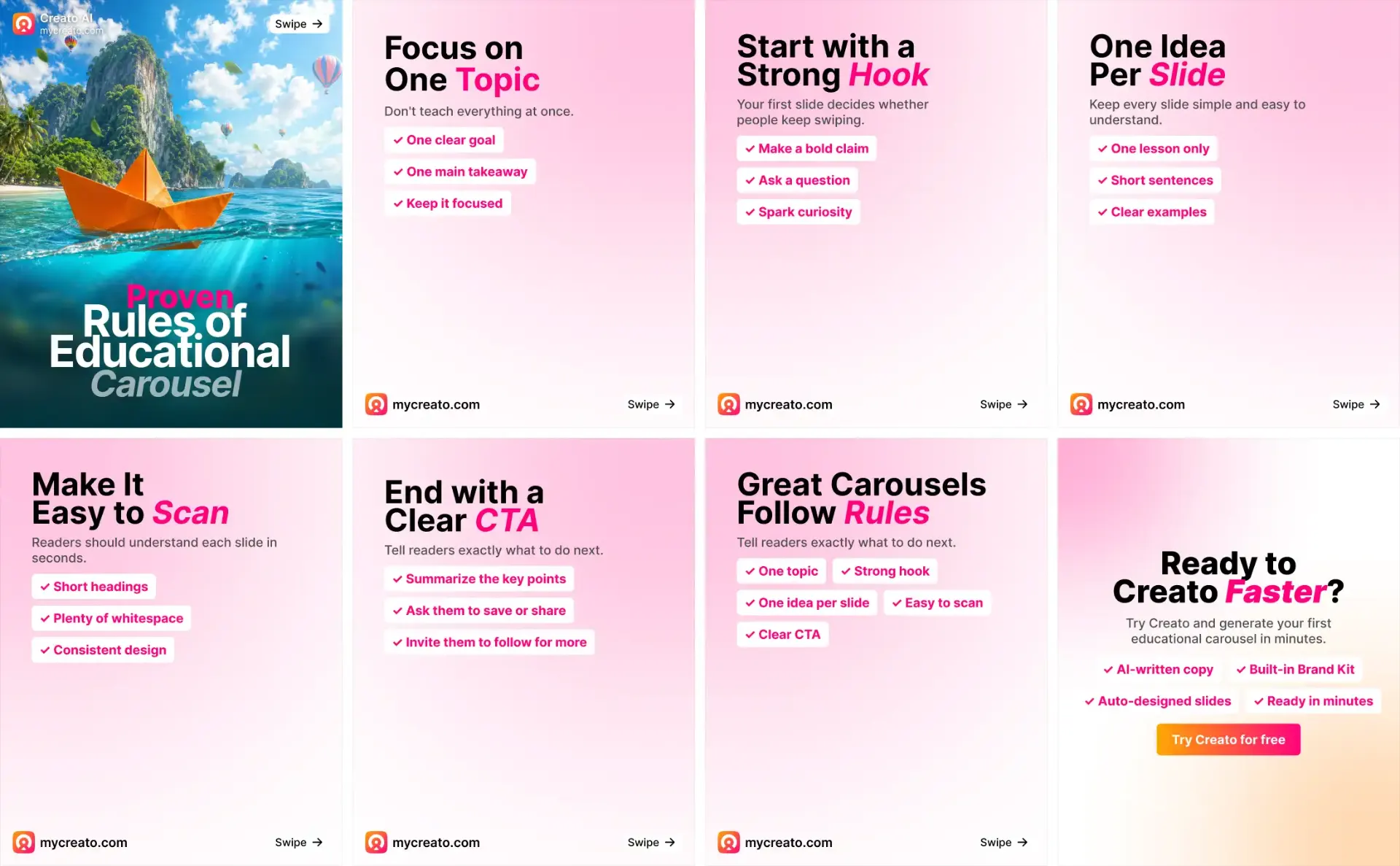
AI speeds up the entire workflow by helping you:
- Generate engaging hooks
- Write educational copy
- Structure slide content
- Design professional layouts
- Keep branding consistent
- Publish faster
Instead of switching between multiple tools, you can complete everything in one workflow.
Which AI Tool Is Best For Educational Carousels?
Several AI tools can help you create educational content, but each focuses on different parts of the workflow.
| Tool | Best For | AI Writing | Carousel Builder | Brand Kit |
|---|---|---|---|---|
| Creato | Complete AI carousel workflow | Yes | Yes | Yes |
| Lovart | AI design projects | Yes | Limited | Yes |
| Canva | Manual design | Limited | Manual | Yes |
| Adobe Express | Social graphics | Manual | Manual | Yes |
| AICarousels | Quick carousel generation | Limited | No | Yes |
| Venngage | Infographics | Yes | Yes | Limited |
| PostNitro | AI carousels | Yes | Yes | Limited |
| Contentdrips | LinkedIn creators | Yes | Yes | Limited |
While these tools are capable of generating content, most still require additional editing, branding, or manual publishing. Creato combines AI writing, branding, templates, and carousel generation into a single workflow.
How To Create An Educational Carousel With Creato
Creating a professional carousel takes just a few minutes.
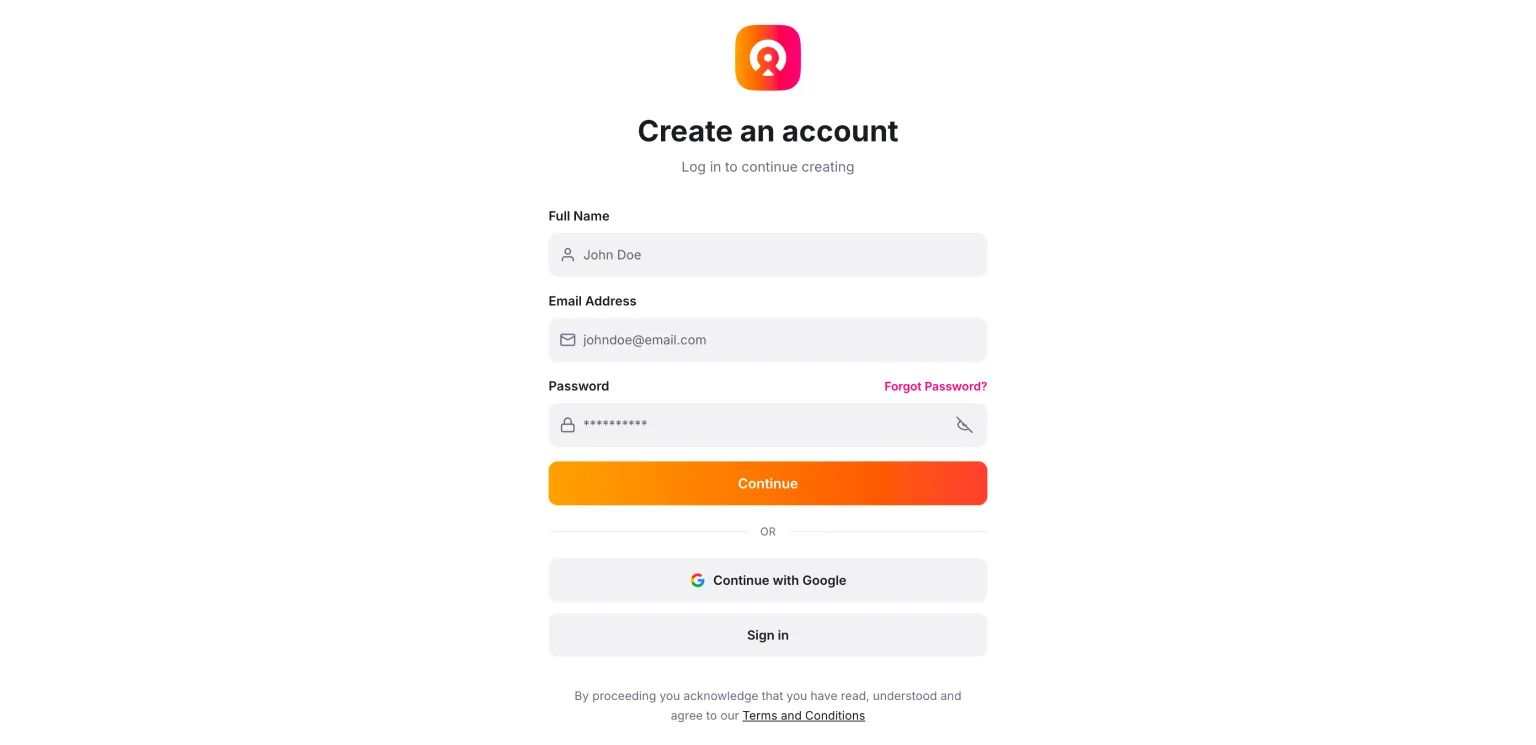
Create Account & Set Up Your Identity
Create a free Creato account and complete your creator profile before generating your first carousel. Add your niche, target audience, a short bio, brand colors, preferred fonts, writing tone, and company information (optional).
This helps Creato generate content and designs that match your brand and writing style.
Open the Carousel Builder
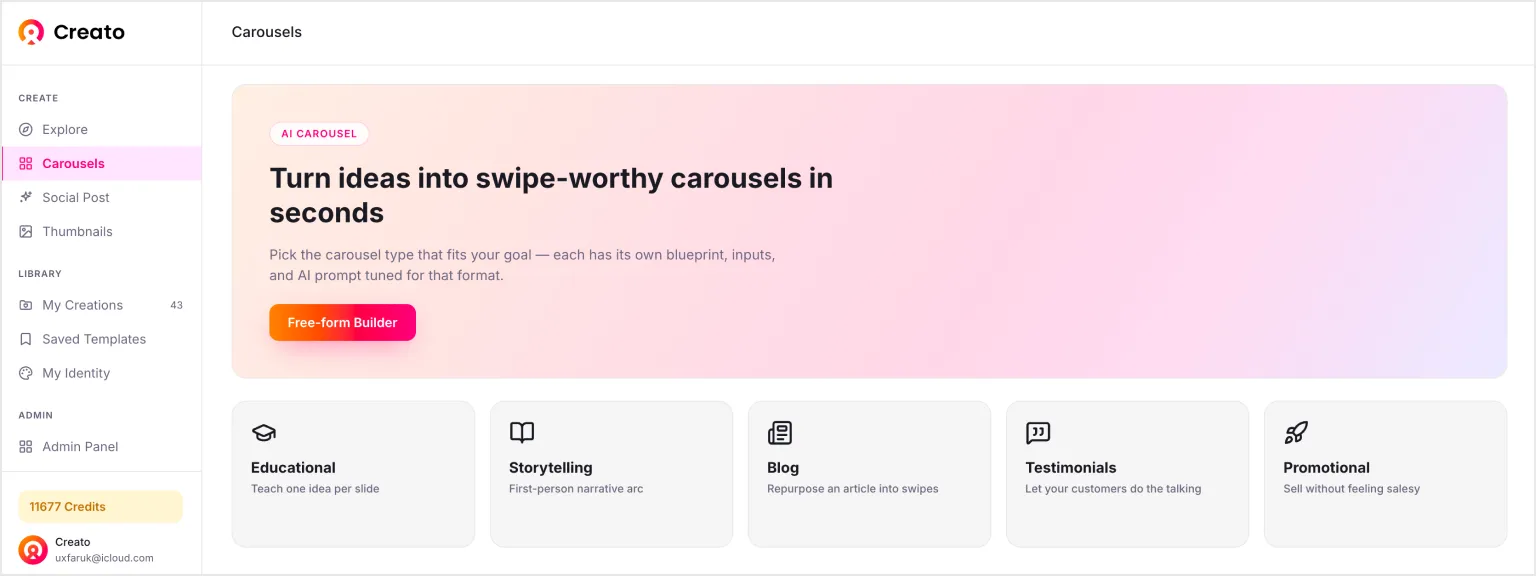
From the dashboard, go to Carousels and choose Educational Carousel. This template is designed specifically for teaching content with a proven slide structure that keeps readers engaged.
Describe Your Carousel
Instead of writing every slide yourself, simply explain what you want to teach.
For example:
- How to Build a Personal Brand
- Beginner's Guide to SEO
- Marketing Tips for Startups
- UX Mistakes Beginners Make
A rough idea is enough for AI to get started.
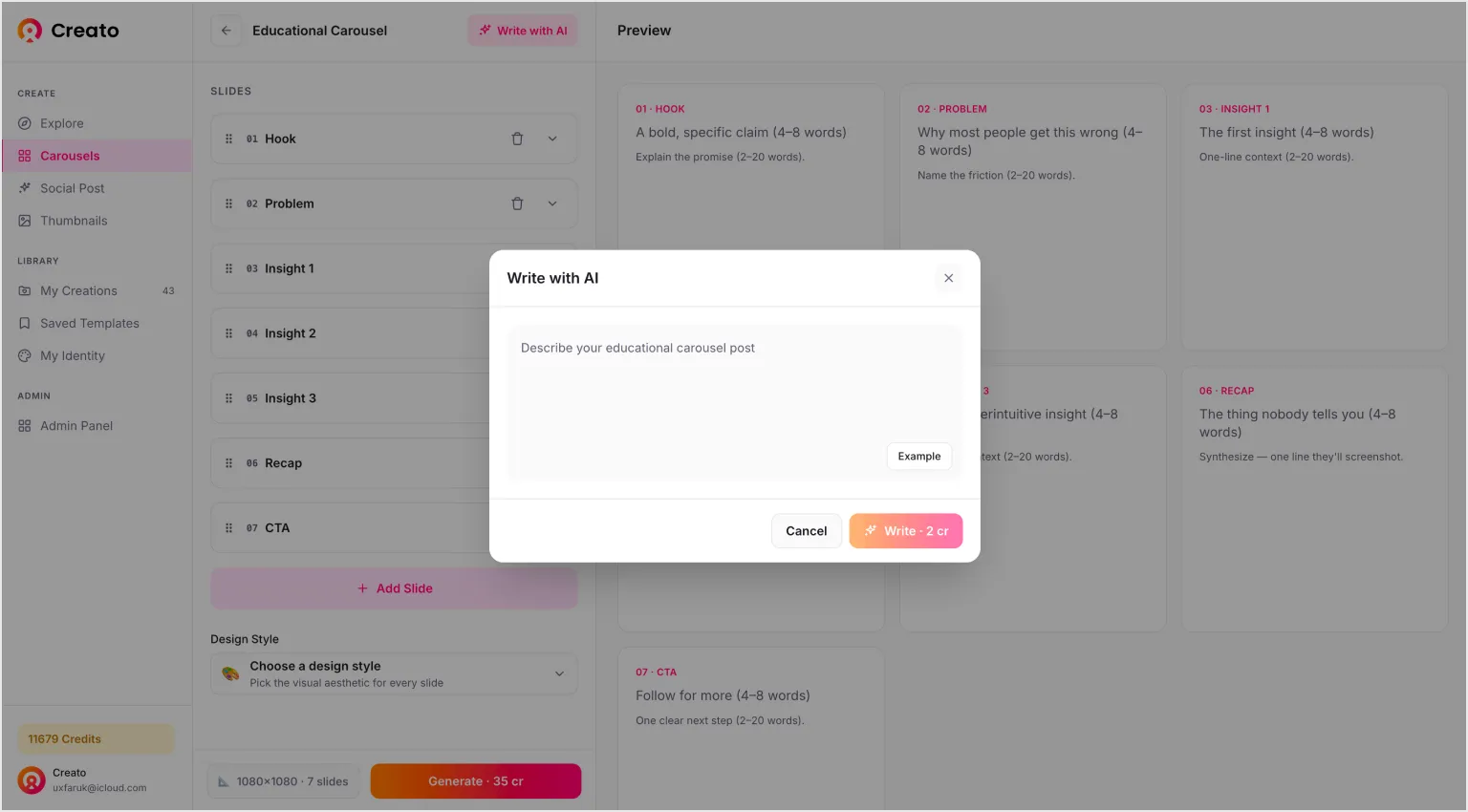
Let AI Write the Carousel
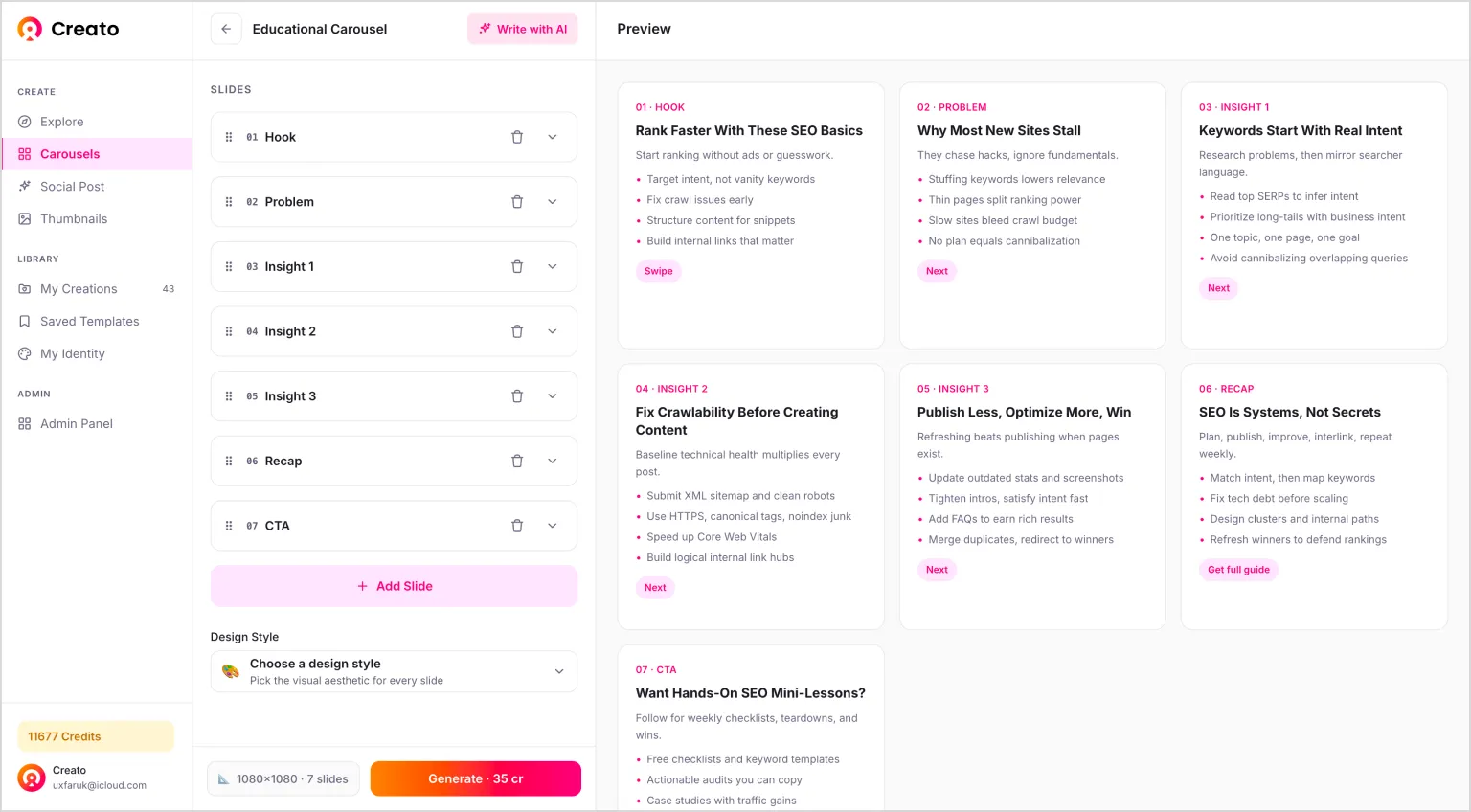
Click Write with AI and Creato generates:
- A compelling hook
- Problem statement
- Educational insights
- Summary
- CTA
Within seconds, you'll have a complete first draft ready to edit.
Customize Your Carousel
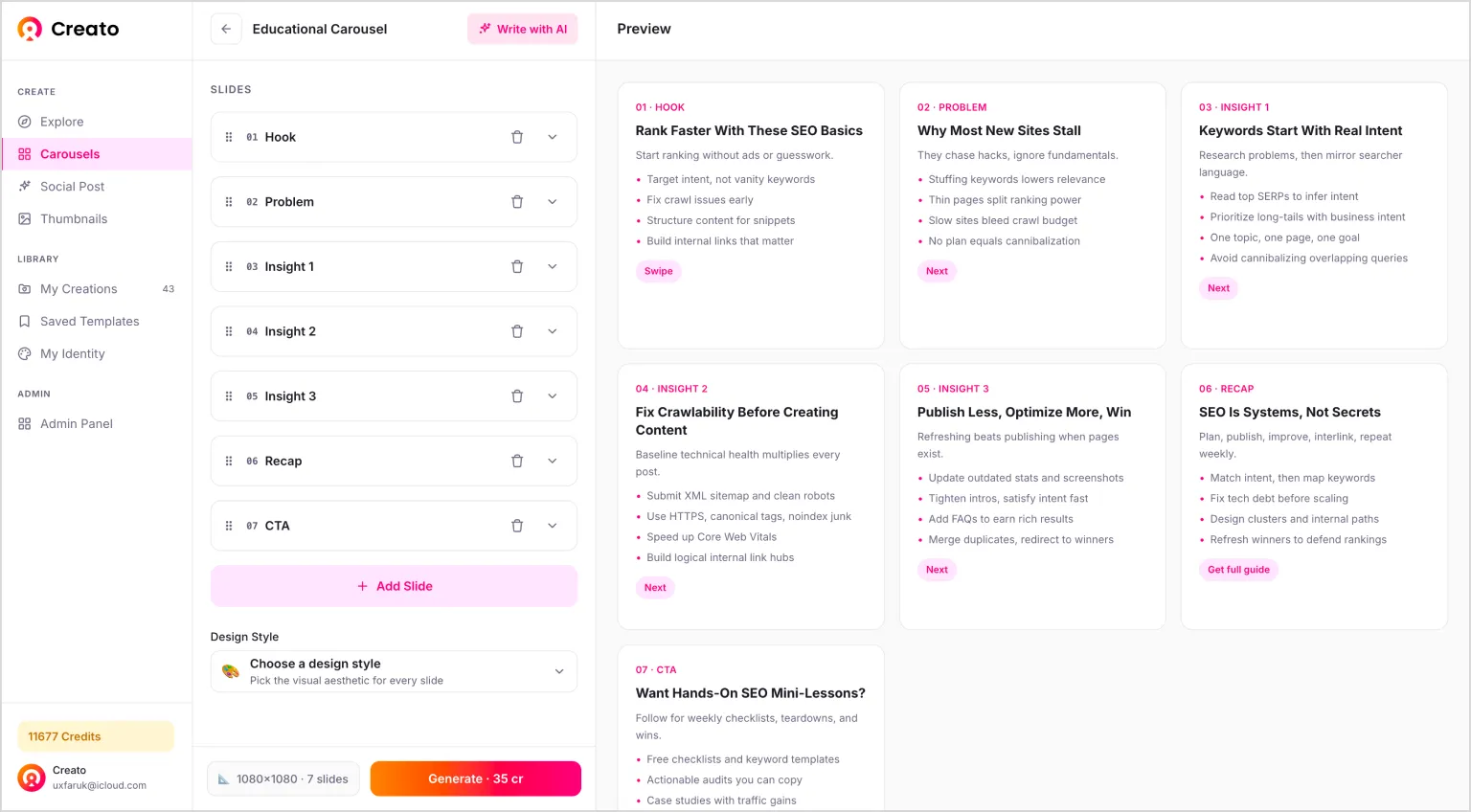
Review every slide and make any changes you like.
You can:
- Rewrite text
- Edit headlines
- Rearrange slides
- Upload your own visuals
- Adjust layouts
Everything remains fully editable.
Generate the Design
Once you're happy with the content, click Generate.
Creato automatically designs every slide using your Brand Kit, typography, colors, and templates. In just a few moments, your educational carousel is ready to publish.
Tips For Better AI-Generated Carousels
Even with AI, the quality of your input matters.
- Focus on one topic per carousel
- Write for beginners whenever possible
- Keep each slide focused on a single idea
- Add real examples and practical tips
- End with a clear takeaway or CTA
AI creates the first draft, but your expertise makes it valuable.
Why Creators Choose Creato
Unlike general design tools, Creato is built specifically for content creators. With one platform, you can create social posts and thumbnails alongside your educational carousels.
- Generate AI copy
- Design educational carousels
- Create social posts
- Generate thumbnails
- Save your Brand Kit
- Reuse templates
- Keep every post on brand
That means less time designing and more time creating.
Frequently Asked Questions
What is an AI educational carousel generator?+
An AI educational carousel generator helps you create multi-slide social media posts by automatically generating the content, organizing the slide structure, and designing the visuals from a simple prompt.
Can I create educational carousels without design experience?+
Yes. AI tools like Creato provide ready-made templates, AI-generated copy, and automatic layouts, making it easy for anyone to create professional-looking carousels without design skills.
Which platforms support educational carousels?+
Educational carousels work well on LinkedIn, Instagram, Facebook, and other platforms that support multi-image posts. They're especially effective for sharing tutorials, tips, and thought leadership content.
Can I customize the AI-generated carousel?+
Absolutely. You can edit the text, replace images, rearrange slides, adjust layouts, and apply your own brand colors and fonts before generating the final design.
Why use Creato instead of a general design tool?+
Unlike general design tools, Creato combines AI writing, carousel generation, Brand Kit, templates, and design automation in one workflow, helping you create ready-to-publish educational carousels in minutes.
Conclusion
Creating educational carousels doesn't have to take hours. With AI, you can go from a simple idea to a polished, ready-to-publish carousel in minutes.
If you're looking for a faster workflow that combines AI writing, branding, and carousel design in one place, Creato makes the process simple. Start for free and create your first educational carousel today.